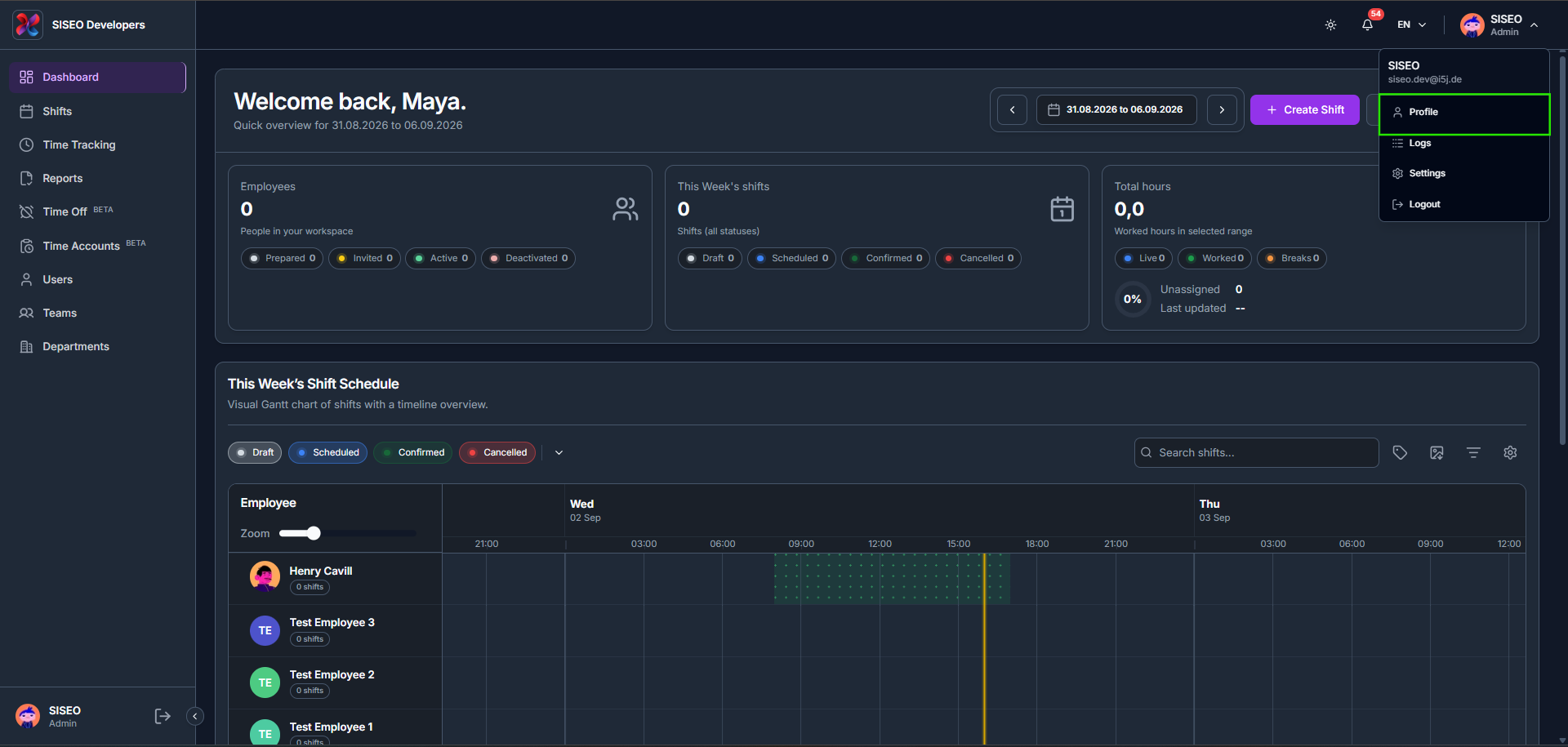
Click your name/avatar in the top-right corner of any admin page to open the account dropdown: Profile, Logs, Settings, and Logout. Clicking Profile opens your personal and company information page. The same dropdown is also how you reach Logs and Settings, and where you sign out.
11.1Overview
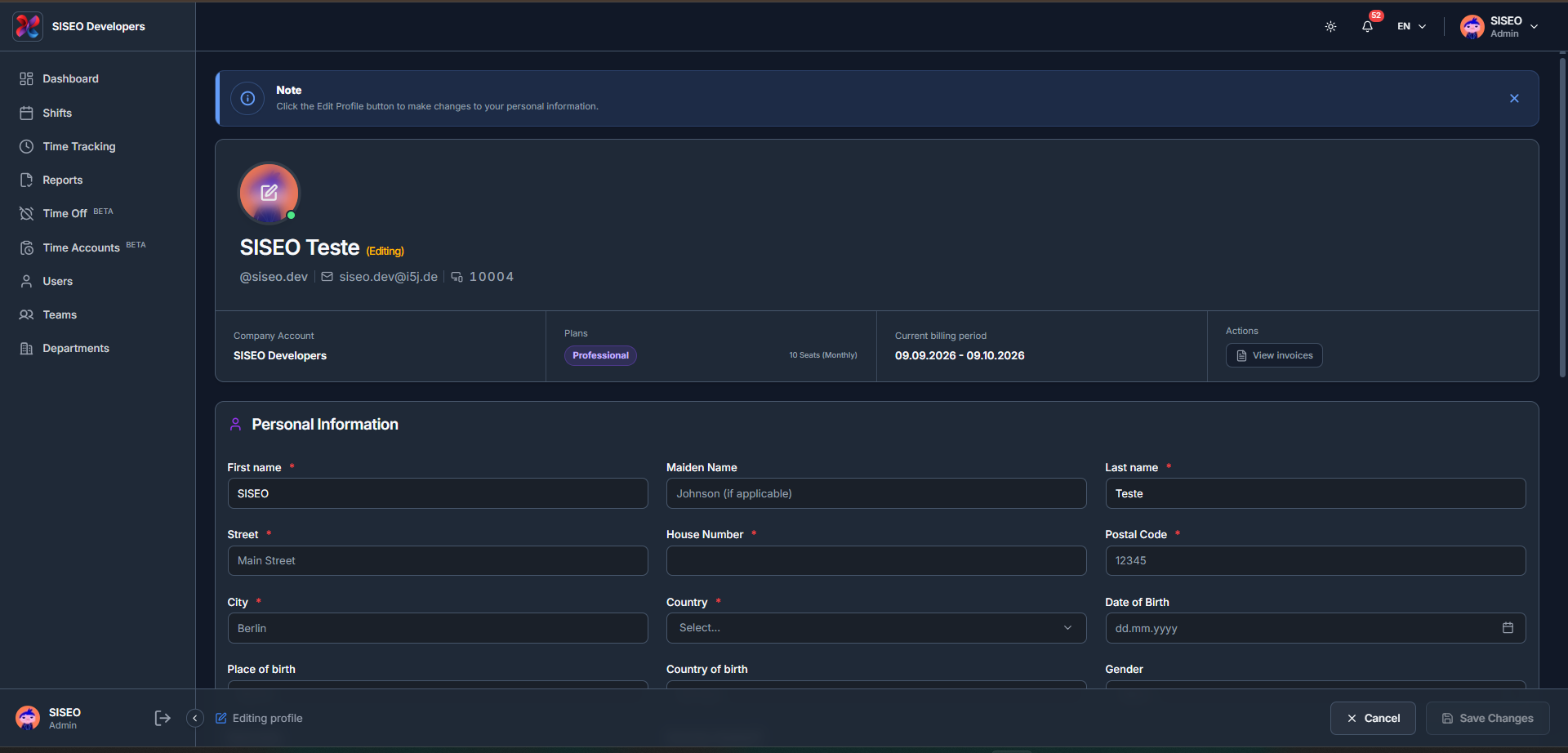
The Profile page itself covers your Personal Information, your Company Information, and an Enable Overtime Tracking toggle.
11.1.1How to edit your profile
- 1
Click your name/avatar in the top-right corner, then click Profile.
- 2
All fields are read-only until you click Edit Profile, a banner reminds you of this. Click it to make the Personal Information and Company Information fields editable.
- 3
As soon as you change a field, the Save button becomes enabled.
- 4
If you try to leave the page with changes still unsaved, a warning appears reminding you to save first.
- 5
Click Save. A confirmation pop-up appears once your changes are saved successfully.
Leave a Reply